

TweetDeck is an adobe air application that helps us to perform all the online social networking activities using a single platform. It comes as a personal real time browser for connecting you with your contacts across Twitter, Facebook, MySpace, LinkedIn, Foursquare, Google Buzz and more...


Installation
We need to install Adobe air installer prior to the installation of the tweetdeck. This is because the tweetdeck is built on adobe air framework. You can download the latest version of the adobe air installer linked here. Select .deb from the dropdown list asking for the version to download.


Double click on the downloaded file (.deb) to install it using the Ubuntu Software center.

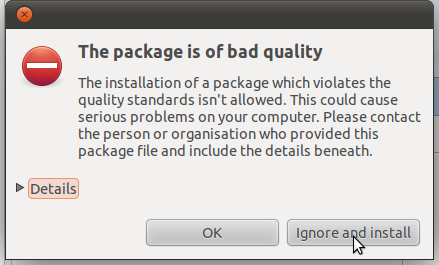
Ignore the bad quality package error if it is shown by the package manager and continue installation...
You can access the Adobe air installer later from Applications >> accessories for installing other applications based on air framework.
Now download the tweetdeck.air file from this link. To install it first take the adobe air installer and browse for the tweetdeck.air file.


Then the tweetdeck installer will pop up and begin as shown in the following figures..


Thats all the information needed for installing tweetdeck in ubuntu 11.04. Tweetdeck will ask for authorizing your facebook, twitter etc... accounts in the first login itself... From my point of view tweetdeck is powerful and eyecandy since it provides better interface than any other desktop social networking applications does and it also integrates many social networking communities within a single interface. Lot of customizations are also possible...


